

RISO Resources
Not sure where to start? Let’s go over some tips and tricks.
Prepping your artwork
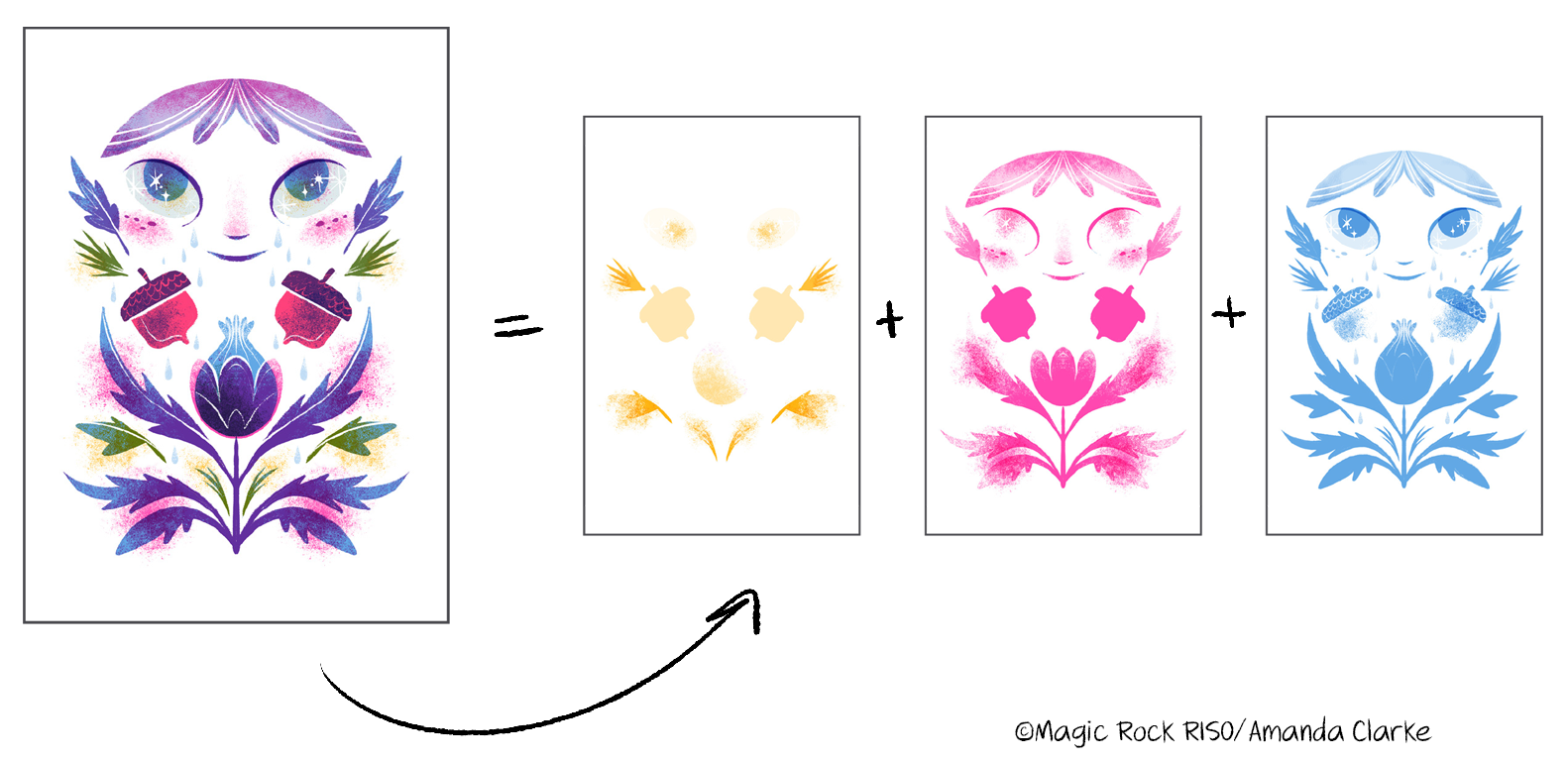
Risograph printing works by printing one color ink at a time, sort of like if you were screen printing. There are a ton of different ways to translate your work to a RISO ready file! The way I like to do it is by designing my work in layers (you can use any layer based design software like Photoshop, Procreate, Clip Studio etc). If you want to work with a flattened piece of art (or just don’t want to design layer by layer) and have access to a Mac you can use Spectrolite to do color separations for you. If you’re manually making your color separations, you can get an approximation of how your colors will blend in your final print by setting your layers to Multiply. If you want to mask something out use white on a layer that’s set to Normal.
For this print, I knew I wanted to use Sunflower, Fluorescent Pink and Cornflower so I designed my art with those three colors on their own layers, with each color group set to multiply to get an idea of how the colors would blend in the final print.
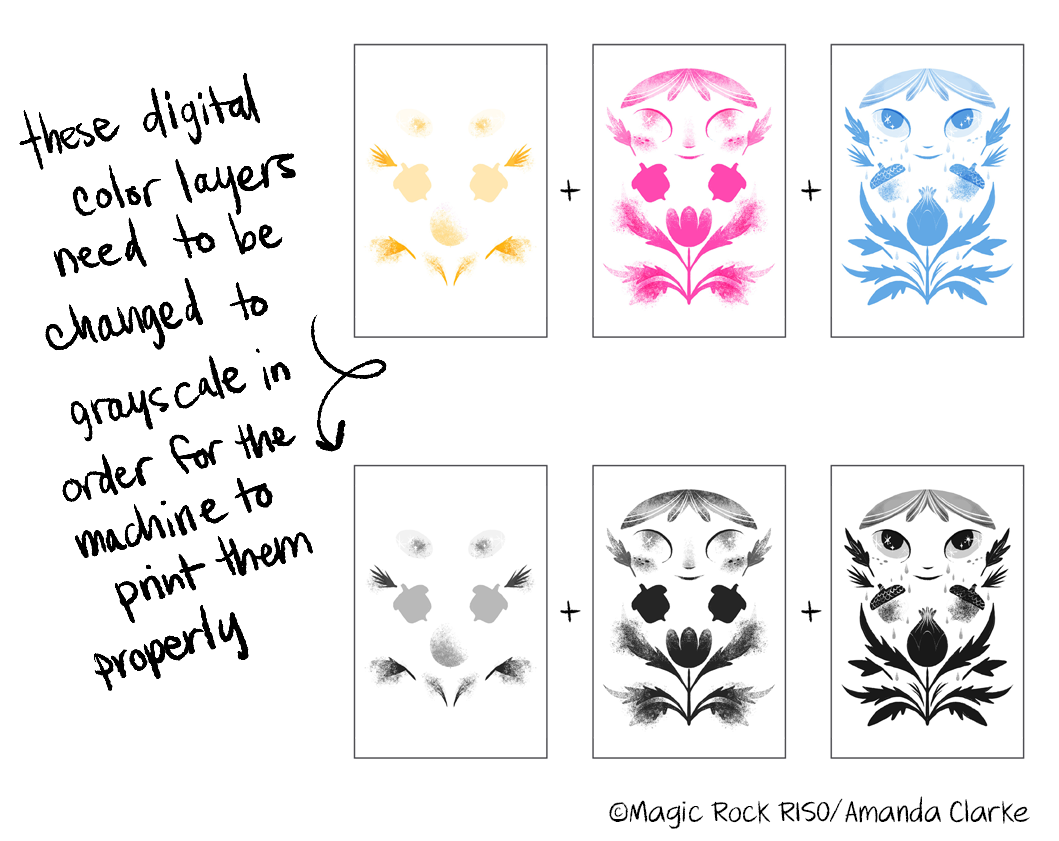
Your layers should be delivered in grayscale
Risographs only read images in black and white, so instead of sending those color layers to print, I change them to grayscale first. Black is 100% saturation or color coverage of whatever ink color I load into the machine. Remember, your digital work needs to use the exact hex codes that correspond to the RISO inks we have. Red is not the same hex value as Scarlet and Yellow isn’t the same as Sunflower. Your color blends in your digital preview are an approximation, but if you use the wrong hex values they will be super duper off and you will be sad.
Print area and paper size
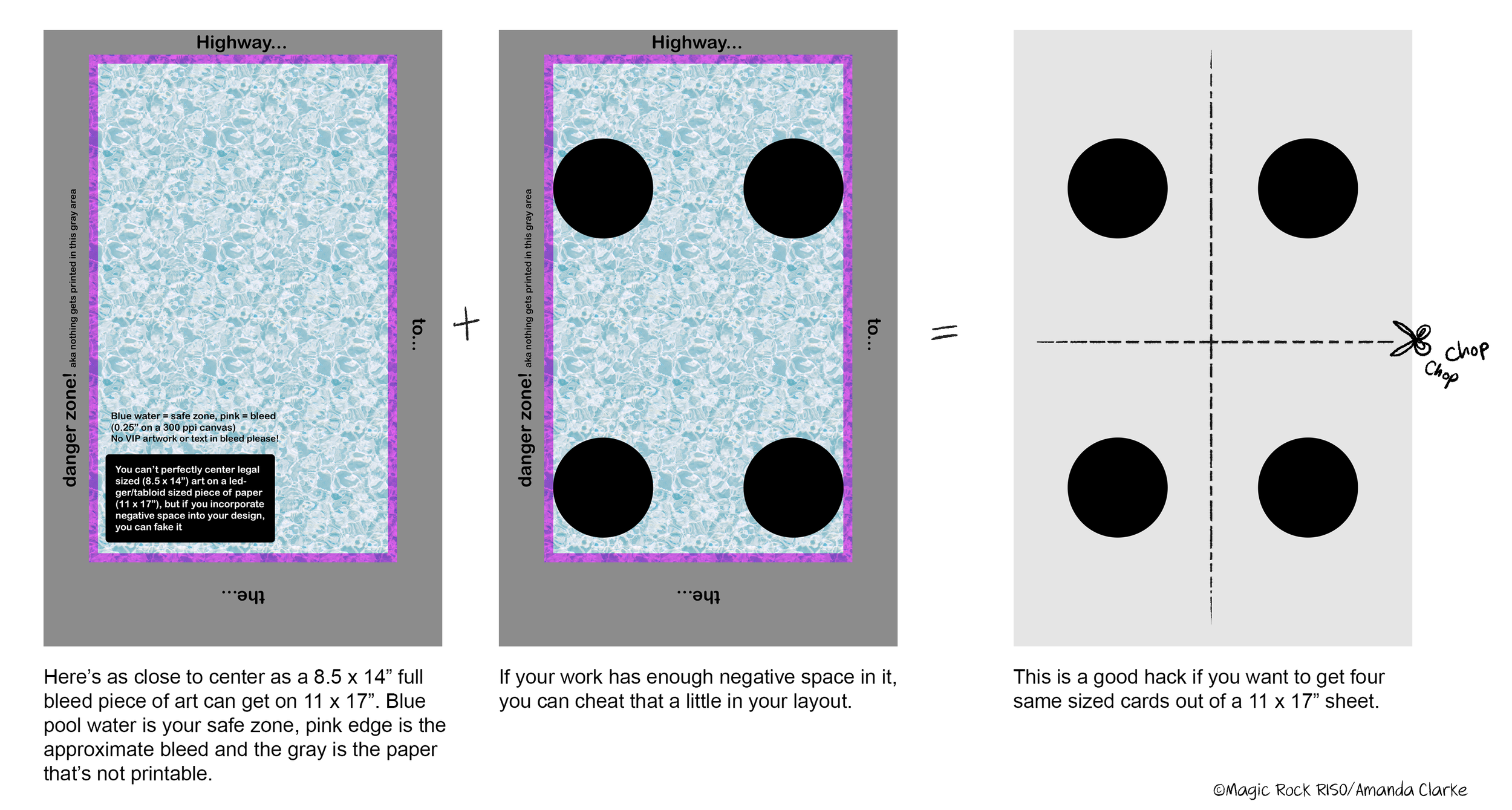
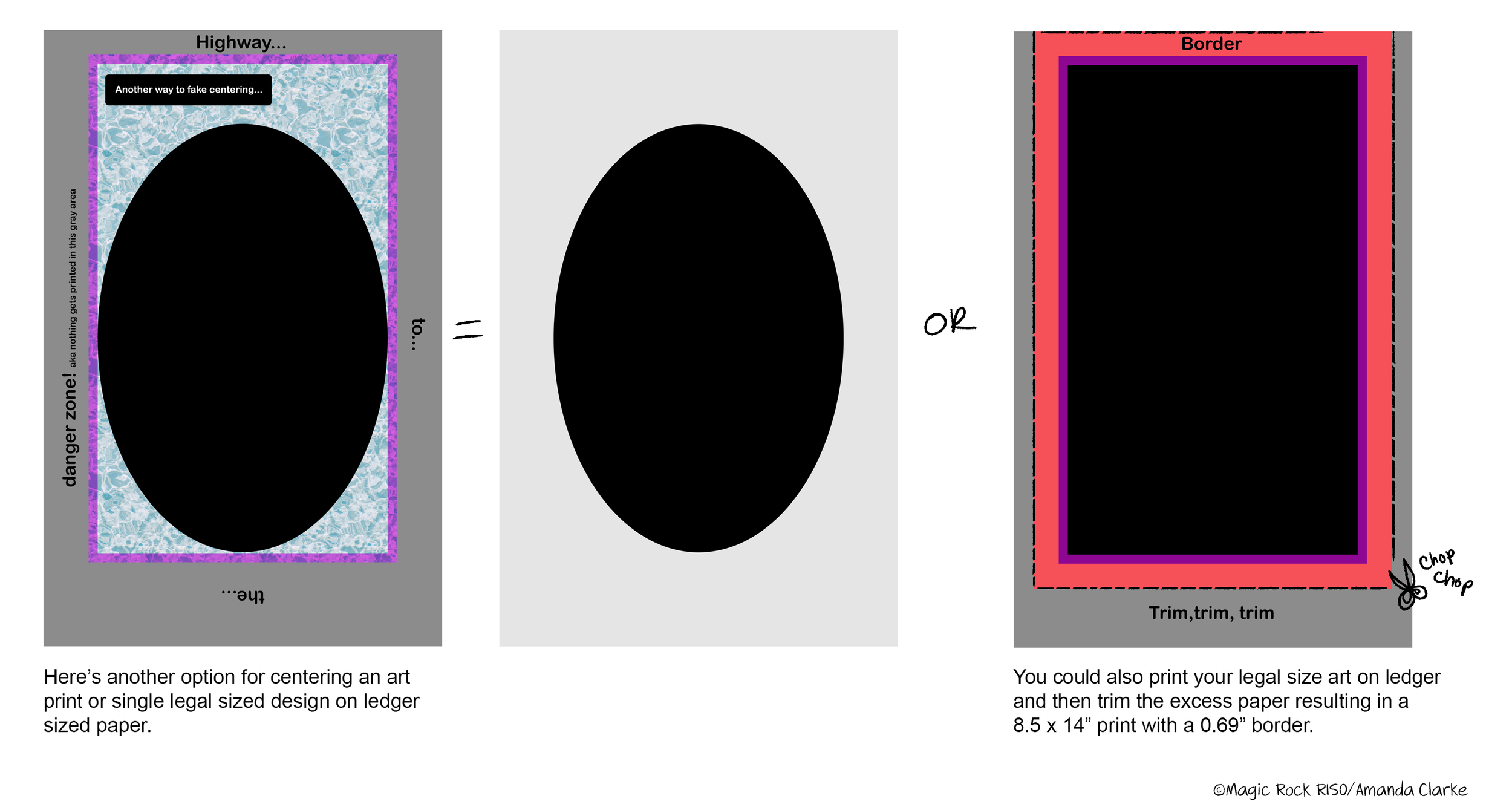
Our machine has a max paper size of 11 x 17” (ledger/tabloid paper) and minimum of 3.75 x 4”. It’s max print area is roughly 8.5 x 14”. That means you can print centered artwork on 4 x 6”, 5 x 7”, 8 x 10”, 8.5 x 11” or 8.5 x 14” (legal size) paper. Our specific RISO machine can’t center 8.5 x 14” (legal) on 11 x 17” (ledger/tabloid paper) but there are ways of working around that quirk if that’s a size and aspect ratio you want:
Remember, risograph ink works with uncoated paper only. If you’re sourcing your own paper, make sure what you’re getting is uncoated and nothing heavier than 110# cover. We like 67# bristol cover vellum or something similar for most art prints.
Screen modes
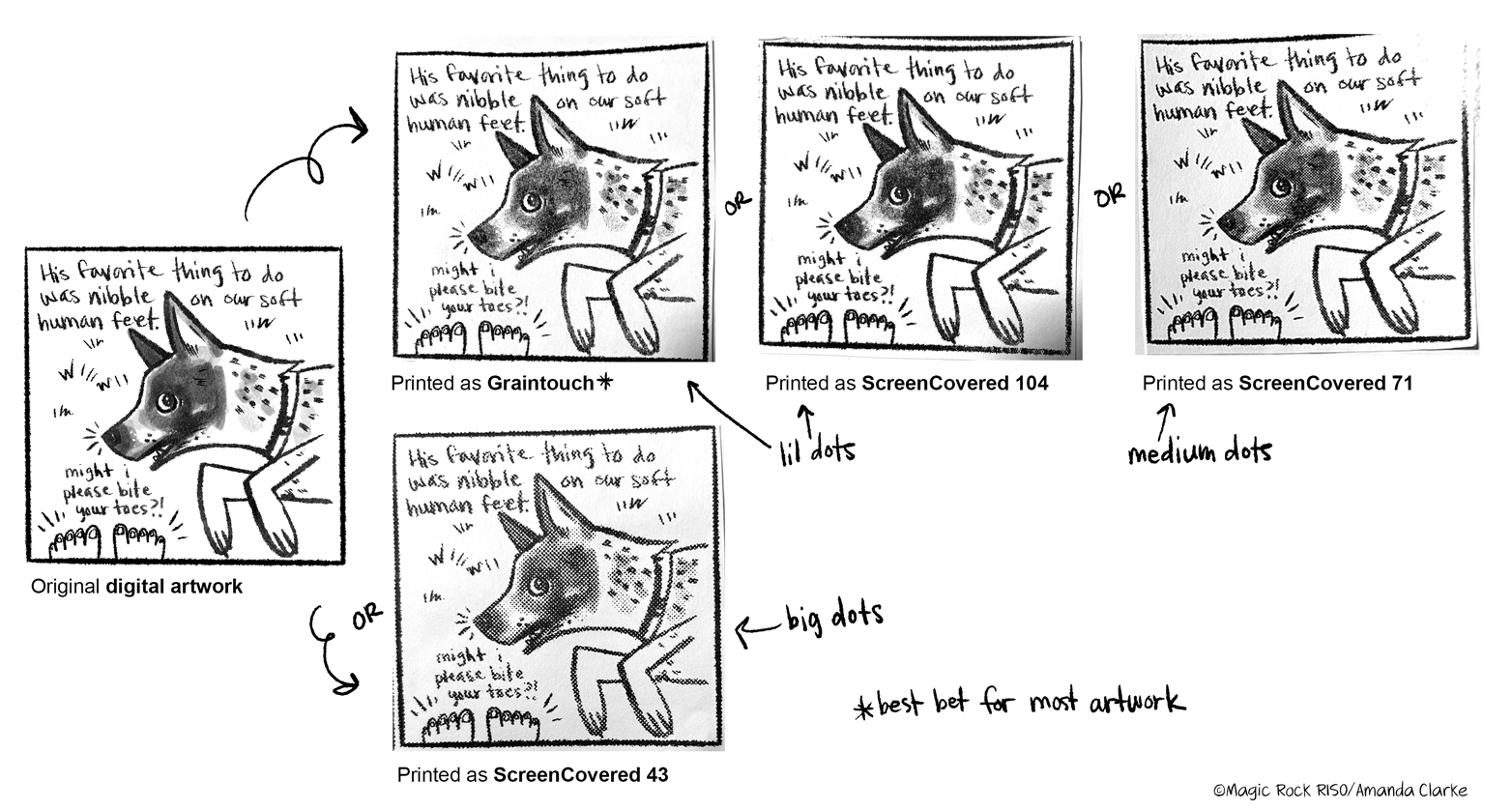
One of the magical things about RISO printing is the default textures you can achieve. Most work looks great with Graintouch, but if you want to have a more visible halftone effect, you can pick ScreenCovered 71 or 43.
See our FAQ section on the homepage for other questions or shoot us an email! We’re here to help you love RISO as much as we do.